
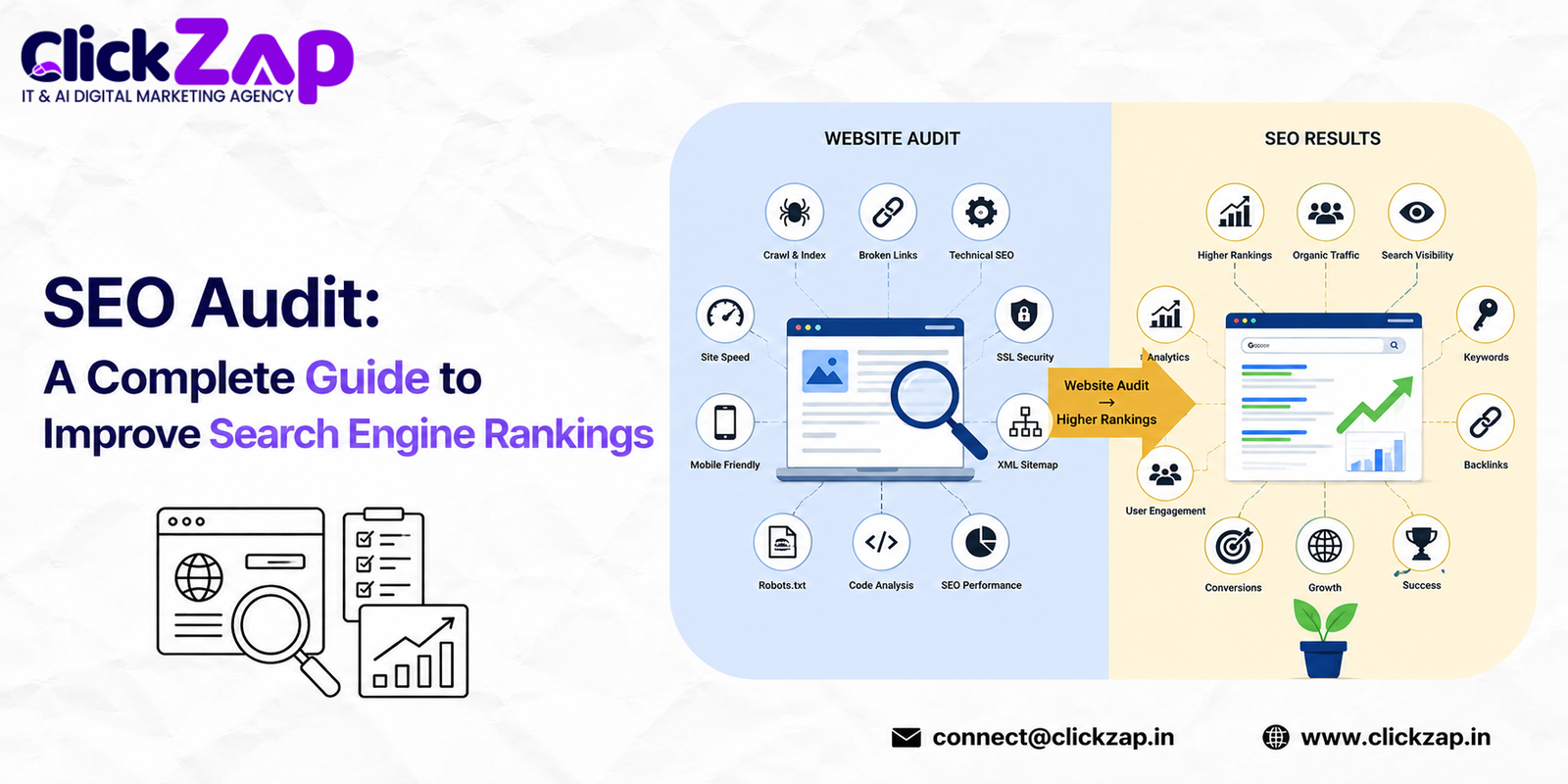
If your website isn’t showing up where it should on Google, the problem usually isn’t bad luck; it’s an unresolved technical or content issue sitting quietly in the background. A website SEO audit to improve search engine rankings is the fastest way to find that issue before it costs you more traffic, leads, or revenue.
Most site owners only think about an audit after rankings drop. By then, you’re playing catch-up. A proper audit flips that; it tells you what’s broken, what’s working, and what to fix first, before Google decides for you.
This guide walks through exactly how a website SEO audit works, what to check, which tools to use, and how to build a repeatable process you can run every quarter. Whether you’re a solo blogger, a startup founder, or managing SEO for a growing agency, you’ll walk away with a checklist you can act on today.
What Is a Website SEO Audit?

A website SEO audit to improve search engine rankings is a structured review of your site’s technical health, on-page elements, content quality, and backlink profile measured against what search engines need to crawl, index, and rank a page fairly.
Think of it as a health checkup. A doctor doesn’t guess what’s wrong; they run tests, check vitals, and compare results against a baseline. An SEO audit does the same thing for your website, using data from tools like Google Search Console, Screaming Frog, and Google Page Speed Insights instead of blood work.
The output isn’t just a list of problems. A good audit gives you a prioritized action plan of what to fix now, what can wait, and what’s already working well.
Why Website SEO Audits Matter
Search engines update their algorithms constantly. A site that ranked well two years ago might be sitting on outdated practices today: slow load times, thin content, or a site structure that confuses crawlers. Running a website SEO audit to improve search engine rankings regularly is how you catch these shifts before they cost you traffic.
Here’s what a regular website SEO health check protects you from:
- Ranking drops you don’t notice until traffic has already fallen
- Wasted crawl budget on pages that don’t matter
- Lost conversions from slow pages or broken user journeys
- Duplicate or thin content diluting your topical authority
- Missed opportunities where a small fix could unlock a big ranking jump
Benefits of SEO Audits
- Identifies exactly what’s blocking organic traffic improvement
- Reveals quick wins that don’t require a redesign
- Builds a clear roadmap instead of guesswork
- Improves crawlability and indexing efficiency
- Strengthens E-E-A-T signals that Google and AI search assistants now weigh heavily
- Protects the investment you’ve already made in content and backlinks
Types of SEO Audits
Not every audit needs to cover everything. Depending on your goals, you might run one type or combine several:
| Audit Type | What It Covers | Best For |
| Technical SEO Audit | Crawlability, indexing, site speed, mobile-friendliness, schema | Sites with ranking drops or crawl errors |
| On-Page SEO Audit | Titles, meta descriptions, headers, keyword usage, internal links | Content-heavy sites, blogs |
| Off-Page SEO Audit | Backlinks, domain authority, brand mentions, local citations | Sites competing in tough niches |
| Content Audit | Content quality, relevance, duplication, outdated pages | Sites with large content libraries |
| Performance Audit | Core Web Vitals, page speed, hosting, image weight | E-commerce and lead-gen sites |
Most complete SEO audit guides recommend running a technical and on-page audit together, since the two are closely connected a page can’t rank well on-page if it isn’t being crawled or indexed correctly in the first place.
Step by Step Website SEO Audit Process

Running a website SEO audit to improve search engine rankings doesn’t have to be complicated if you follow a clear sequence. Here’s the process:
- Crawl your site with Screaming Frog SEO Spider or a similar crawler to map every URL, status code, and redirect chain.
- Check indexing status in Google Search Console to compare submitted URLs against indexed URLs.
- Review your XML sitemap and robots.txt to confirm you’re not blocking important pages by accident.
- Run Core Web Vitals and Page Speed Insights to catch performance bottlenecks.
- Audit on-page elements title tags, meta descriptions, header structure, keyword placement.
- Check for duplicate content and canonical tag issues.
- Review internal linking to ensure your most important pages get the most link equity.
- Analyze your backlink profile in Ahrefs or Semrush for toxic links and lost link opportunities.
- Audit content quality outdated stats, thin pages, keyword cannibalization.
- Compile findings into a prioritized fix list, ranked by impact and effort.
Technical SEO Audit
Technical SEO is the foundation everything else sits on. If Google can’t crawl and index your site properly, none of your content or backlink work matters which is why every website SEO audit to improve search engine rankings has to start here.
Crawlability and Indexing
Start with crawl errors in Google Search Console’s Coverage report. Common culprits include:
- Pages blocked by robots.txt that shouldn’t be
- Orphan pages with no internal links pointing to them
- Redirect chains and loops eating up crawl budget
- Server errors that stop Googlebot mid crawl
Your XML sitemap should only include canonical, indexable URLs not redirected pages, no index pages, or duplicates. Submit it through Google Search Console and Bing Webmaster Tools.
Core Web Vitals and Page Speed
Google’s page experience signals Largest Contentful Paint, Interaction to Next Paint, and Cumulative Layout Shift directly affect rankings and user experience. Run your site through Google PageSpeed Insights or Google Lighthouse to get field and lab data side by side.
Common fixes:
- Compress and lazy-load images
- Minimize render blocking JavaScript and CSS
- Use a CDN like Cloudflare to reduce server response time
- Enable browser caching
Mobile-First Indexing and Mobile SEO
Google indexes the mobile version of your site by default. If your mobile experience is stripped down compared to desktop missing content, broken navigation, tiny tap targets you’re losing ranking potential on the version Google actually evaluates.
Schema Markup and Structured Data
Schema markup helps search engines understand context product prices, review ratings, FAQ content, article authorship. It won’t guarantee rich results, but it improves the odds and helps AI Overviews and AI search assistants summarize your content accurately.
HTTPS, Canonical Tags, and Duplicate Content
- Confirm your entire site runs on HTTPS, not just the homepage
- Set self-referencing canonical tags on every indexable page
- Watch for duplicate content caused by URL parameters, print versions, or www/non-www inconsistencies
On-Page SEO Audit
On-page SEO audit work focuses on what’s actually written on the page and how it’s structured for both readers and crawlers.
Title Tags and Meta Descriptions
Every page needs a unique, keyword relevant title tag under 60 characters and a compelling meta description between 150–160 characters. These don’t directly boost rankings, but they drive click through rate which indirectly affects performance.
Header Structure and Content Optimization
Use one H1 per page, followed by a logical H2/H3 hierarchy. Search engines and AI search assistants use header structure to understand how content is organized. Messy hierarchies make your content harder to parse and summarize.
Keyword Optimization
Keyword optimization today isn’t about repeating a phrase, it’s about covering a topic thoroughly enough that your primary keyword, secondary keywords, and semantic variations appear naturally. Aim for natural density, not a fixed percentage target.
Internal Linking
Strong internal linking distributes authority across your site and helps users find related content. Link from high authority pages to newer or underperforming ones, using descriptive anchor text.
Image Optimization
Compress images, use descriptive file names, and write alt text that describes the image accurately while including relevant keywords where naturally never forced.
Off-Page SEO Audit
Off-page SEO audit work looks outward: what’s your site’s reputation across the web?
- Backlink profile — audit link quality, not just quantity, using Ahrefs or Semrush
- Toxic links — disavow spammy or irrelevant backlinks that could be dragging down trust
- Domain authority and page authority — track trends over time, not single snapshots
- Local SEO signals — Google Business Profile accuracy, NAP consistency, local citations
- Brand mentions — unlinked mentions you could convert into backlinks
Content Audit
A content audit answers one question: is every page on your site pulling its weight?
Go through your content inventory and flag:
- Pages with outdated statistics or information
- Thin pages under 300 words with no real search intent
- Multiple pages competing for the same keyword
- High traffic pages that could be expanded into cornerstone content
- Zero traffic pages that should be merged, redirected, or removed
Website Performance Audit

Beyond Core Web Vitals, a performance audit looks at server response times, hosting quality, and overall site architecture. A well structured site keeps important pages within two or three clicks of the homepage, avoids deep nesting, and uses a logical URL structure.
Comparison: Technical vs On-Page vs Off-Page SEO
| Factor | Technical SEO | On-Page SEO | Off-Page SEO |
| Focus | Crawlability, indexing, speed | Content and HTML elements | External signals and reputation |
| Where it happens | Site infrastructure | Individual pages | Beyond your website |
| Example fix | Fixing broken sitemap | Rewriting a title tag | Earning a quality backlink |
| Tools used | Screaming Frog, GSC | Rank Math, Yoast SEO | Ahrefs, Semrush |
Best SEO Audit Tools
| Tool | Best For | Free or Paid |
| Google Search Console | Indexing, crawl errors, performance data | Free |
| Google Analytics | Traffic behavior and conversions | Free |
| Google Page Speed Insights | Core Web Vitals and speed diagnostics | Free |
| Screaming Frog SEO Spider | Full-site crawling and technical audits | Free (limited) / Paid |
| Ahrefs | Backlink analysis, keyword research | Paid |
| Semrush | Competitive audits, keyword tracking | Paid |
| Moz | Domain authority tracking | Free (limited) / Paid |
| Rank Math / Yoast SEO | On-page optimization for WordPress | Free / Paid |
| Bing Webmaster Tools | Indexing on Bing | Free |
Free vs Paid SEO Audit Tools
| Aspect | Free Tools | Paid Tools |
| Data depth | Basic crawl and speed data | Full backlink, keyword gap, and competitor data |
| Site size limits | Often capped | Handles large, complex sites |
| Historical tracking | Limited | Long-term trend tracking |
| Best use case | Small sites, DIY checks | Agencies, larger sites, ongoing monitoring |
Common SEO Mistakes
- Ignoring mobile experience while optimizing only for desktop
- Treating an audit as a one time task instead of a recurring process
- Fixing symptoms (rankings) instead of root causes (crawl errors, thin content)
- Over optimizing anchor text in a way that looks unnatural
- Neglecting Core Web Vitals until rankings already drop
- Skipping structured data because it feels optional
Common SEO Problems and Solutions
| Problem | Likely Cause | Solution |
| Pages not indexed | Blocked by robots.txt or no index tag | Remove block, resubmit in GSC |
| Slow page speed | Unoptimized images, heavy scripts | Compress images, defer JS |
| Duplicate content | Missing canonical tags | Add self-referencing canonicals |
| Dropping rankings | Outdated content, weak internal links | Refresh content, add internal links |
| High bounce rate | Poor mobile experience | Improve mobile layout and speed |
Professional SEO Audit vs DIY Audit
| Factor | DIY Audit | Professional SEO Audit |
| Time required | Significant, especially on larger sites | Faster, done by an experienced team |
| Tool access | Often limited to free tiers | Full access to premium tools |
| Depth of analysis | Surface level unless highly experienced | Includes competitor benchmarking and strategy |
| Risk of missed issues | Higher, especially for complex technical problems | Lower, backed by structured processes |
| Best for | Small sites, learning the basics | Businesses relying on organic traffic for revenue |
A DIY audit is a reasonable starting point if you’re learning the fundamentals. But for sites where organic traffic directly affects revenue, a professional SEO audit catches issues that free tools and inexperienced eyes tend to miss things like crawl budget waste, keyword cannibalization across dozens of pages, or structured data errors that silently block rich results.
How Often Should You Perform an SEO Audit?
- Monthly: Quick checks crawl errors, indexing status, Core Web Vitals
- Quarterly: Full on-page and content audit
- Annually : Complete technical, on-page, and off-page audit especially after a redesign, migration, or algorithm update
Complete Website SEO Audit Checklist
- Crawl the entire site and fix broken links or redirect chains
- Confirm XML sitemap only includes indexable URLs
- Review robots.txt for accidental blocks
- Check Core Web Vitals scores across key pages
- Confirm HTTPS is active site-wide
- Audit title tags and meta descriptions for uniqueness
- Review header hierarchy on top pages
- Check for duplicate or thin content
- Audit internal linking structure
- Review backlink profile for toxic links
- Confirm schema markup is implemented correctly
- Test mobile usability across devices
Technical SEO Checklist
- Crawl errors resolved
- Sitemap submitted and error free
- Canonical tags set correctly
- Core Web Vitals within acceptable range
- Mobile first indexing confirmed working
On-Page SEO Checklist
- Unique title tags on every page
- Meta descriptions written for click through, not just keywords
- One H1 per page with logical H2/H3 structure
- Keyword usage feels natural, not forced
- Internal links use descriptive anchor text
Content Optimization Checklist
- Outdated statistics updated
- Thin pages expanded or removed
- Keyword cannibalization resolved
- Content matches search intent
Performance Optimization Checklist
- Images compressed and lazy loaded
- Render blocking scripts minimized
- CDN configured correctly
- Server response time under control
Advanced SEO Audit Tips
- Segment Google Analytics data by landing page to spot underperformers Search Console alone won’t flag
- Use log file analysis to see exactly how Googlebot crawls your site, not just what tools estimate
- Cross check keyword rankings against SERP features a page can rank well but still lose clicks to featured snippets or AI Overviews
- Audit your competitors alongside your own site; ranking gaps often reveal content or backlink opportunities you’ve missed
Latest SEO Best Practices for 2026
Search behavior has shifted. A growing share of queries are now answered directly inside Google’s AI Overviews or through AI assistants like ChatGPT and Perplexity, without a click to your site. That changes what “ranking well” means.
- Structure content for extraction — clear headers, direct answers near the top, and well-organized lists make it easier for AI systems to cite your page
- Double down on E-E-A-T — real author bios, cited sources, and demonstrated first-hand experience matter more as AI-generated content floods the web
- Treat structured data as essential, not optional, since it helps both traditional SERPs and AI search assistants understand your content correctly
- Prioritize page experience — Core Web Vitals remain a baseline expectation, not a differentiator on their own
FAQ
How long does a website SEO audit take?
For a small site, a basic audit can take a few hours. Larger or more complex sites with hundreds of pages typically take several days to audit thoroughly, especially when combining technical, on-page, and backlink analysis.
What’s the difference between an SEO audit and SEO strategy?
An audit diagnoses current problems and opportunities. A strategy is the forward looking plan built from those findings what to fix, create, or build next, and in what order.
Can I do an SEO audit myself without hiring an agency?
Yes, especially for smaller sites. Free tools like Google Search Console, PageSpeed Insights, and a limited Screaming Frog crawl cover the basics. Larger or revenue-critical sites usually benefit from a professional SEO audit that goes deeper.
How much does a professional SEO audit cost?
Costs vary widely based on site size and audit depth, ranging from a basic review to a more significant investment for a full technical, on-page, and backlink audit on a large site.
Does an SEO audit guarantee higher rankings?
No audit can guarantee rankings, since search engines weigh hundreds of factors. What it guarantees is clarity; you’ll know exactly what’s holding your site back and what to fix, which puts you in a far stronger position than guessing.
Conclusion
A website SEO audit isn’t a one time task you check off and forget. Search engines change, competitors adjust, and your own site accumulates technical debt over time: broken links, outdated content, slow loading pages. Running a structured audit regularly is how you catch these issues before they cost you rankings and revenue.
Start with the checklist in this guide. Run a technical crawl, check your Core Web Vitals, review your on-page elements, and take an honest look at your backlink profile. If you’d rather have an experienced team handle the depth of a full technical, on-page, and off-page audit, ClickZap IT offers professional SEO audit services built specifically for businesses that depend on organic traffic to grow.
Whichever route you choose, the important thing is to consistently audit your site regularly, fix what’s broken, and keep building on what’s already working.
Also Read: LinkedIn marketing strategy for B2B companies in India



0 Comments