
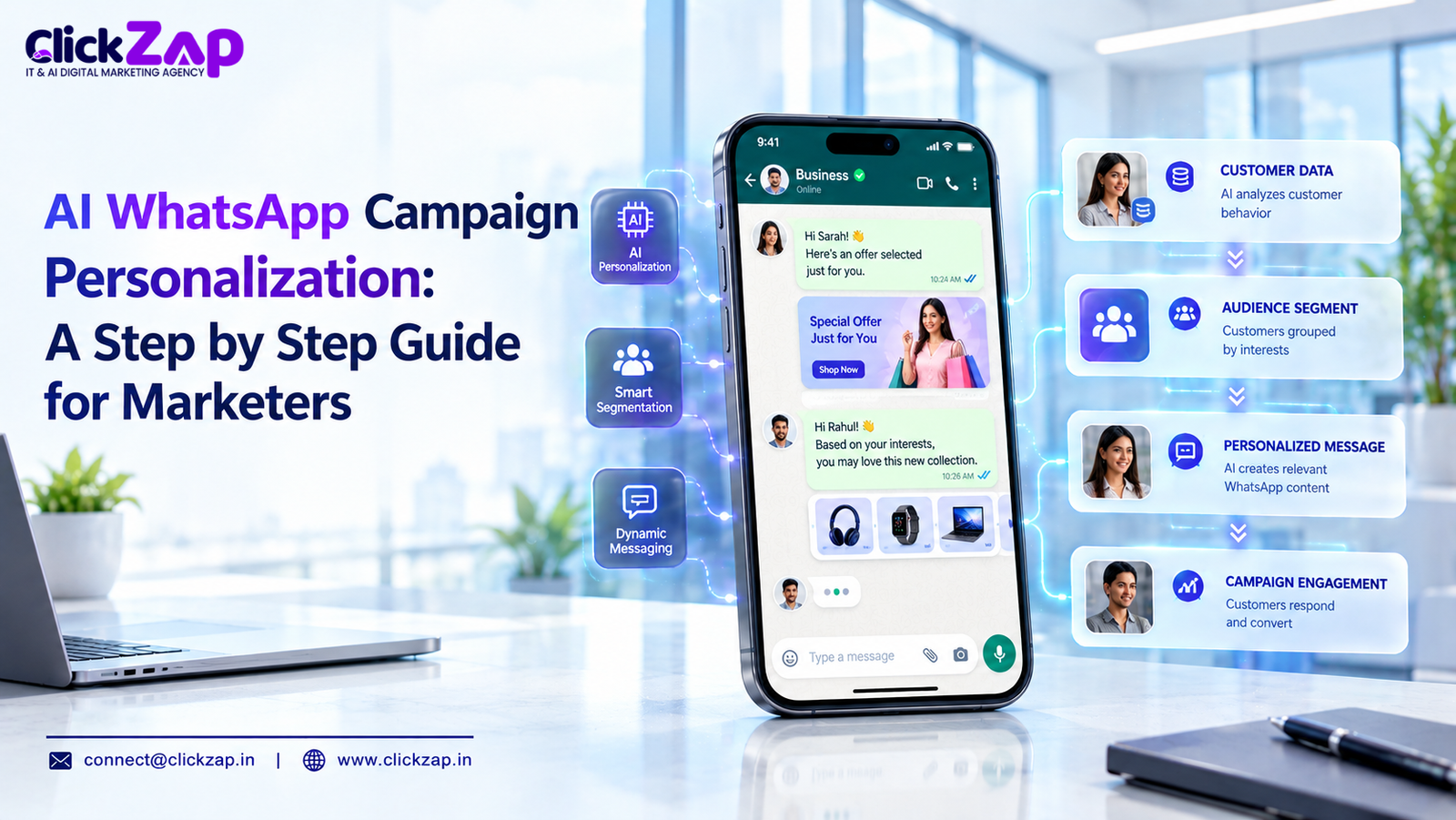
AI WhatsApp campaign personalization uses customer data and machine learning to decide who gets which message, when, and in what language, so every WhatsApp message reads like a one to one conversation. The core steps are: segment your audience, unify your data, set up the WhatsApp Business Platform, write modular templates, automate behavior based triggers, test, and iterate on results.
Most WhatsApp campaigns fail for a boring reason. They treat a personal channel like a bulk SMS gateway.
Your customer’s WhatsApp inbox holds messages from family, friends, and colleagues. A generic “Dear Customer, 20% off today!” lands in the middle of that and gets ignored, muted, or blocked. Block rates hurt more than low open rates, because blocks and reports can drag down your quality rating and limit how many people you can message.
Personalization fixes this. When a message references the right product, arrives at the right moment, and speaks in the customer’s preferred language, it earns a reply instead of a block.
This guide walks you through exactly how to build that. We cover definitions, strategy, a 7 step implementation process, tools, real use cases, mistakes to avoid, and the KPIs that matter. We write it from the perspective of an agency that builds these systems for clients, so you will get opinions, not just options.
What Is AI WhatsApp Campaign Personalization?
AI WhatsApp campaign personalization is the practice of using AI to tailor message content, timing, sequence, and audience selection on WhatsApp based on individual customer data and behavior. Instead of one message sent to 50,000 contacts, you run dozens of message variants, each matched to a specific segment or even a single person.
The “AI” part does three jobs:
- Predicts who is likely to buy, churn, or respond
- Selects the next best message or offer for each person
- Adapts content in real time using signals like browsing, cart activity, or past replies
How It Differs From Standard WhatsApp Marketing
Standard WhatsApp marketing sends the same broadcast to a list, usually with a first name merge tag. That is the floor, not personalization.
|
Factor |
Standard WhatsApp Marketing |
AI WhatsApp Campaign Personalization |
|
Audience |
One broad list |
Dynamic segments built from behavior and data |
|
Content |
Same message for everyone |
Modular content matched to intent and stage |
|
Timing |
Fixed send time |
Triggered by actions or predicted best time |
|
Language |
One language |
Matched to customer preference |
|
Optimization |
Manual, occasional |
Continuous testing and model driven decisions |
|
Replies |
Often handled manually or ignored |
Routed through AI chatbots with human handoff |
Think of standard marketing as a loudspeaker and AI personalization as a good salesperson who remembers what you asked about last week.
Why Personalization Matters on WhatsApp
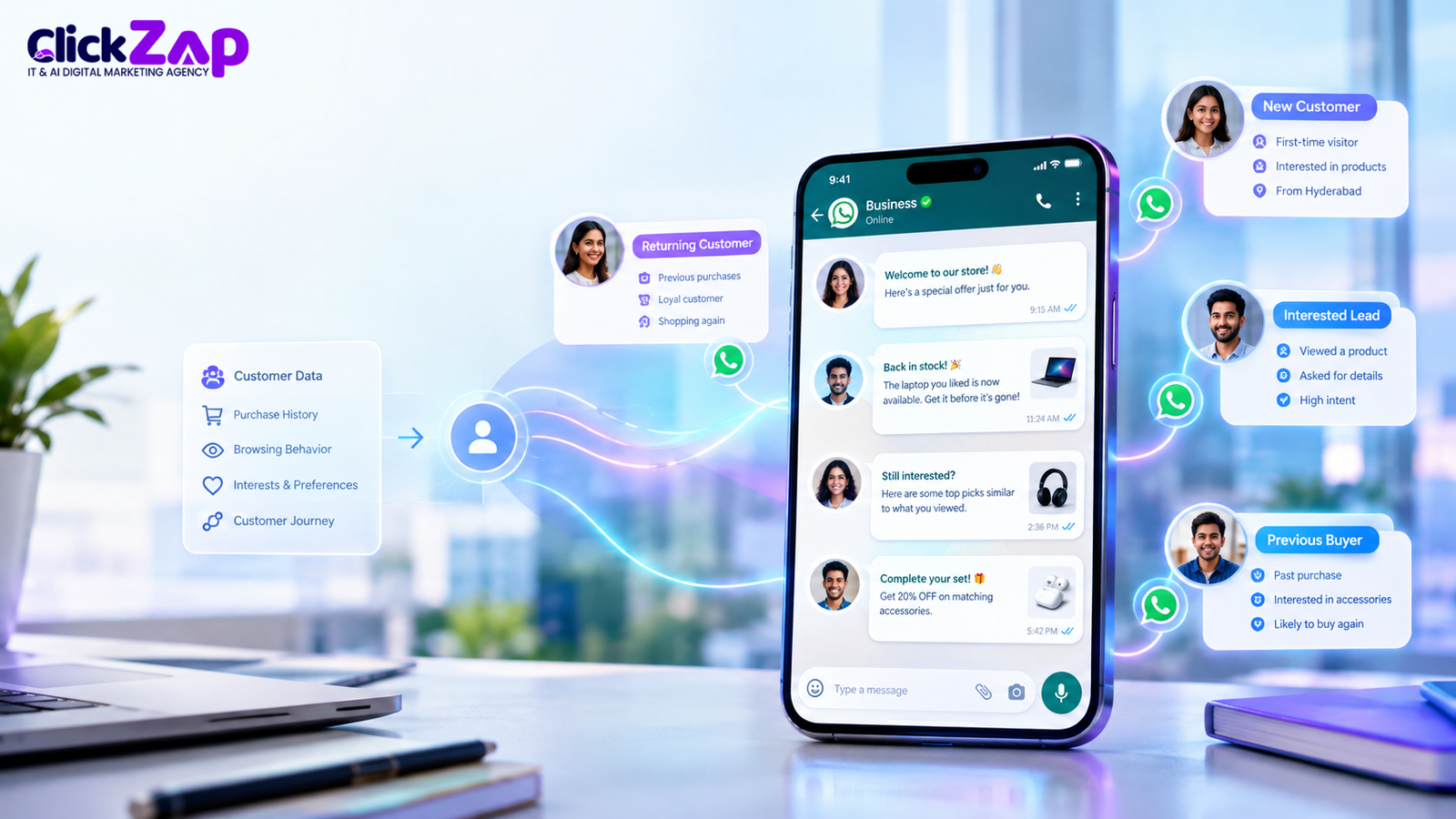
WhatsApp is not a normal marketing channel, so the rules are different. Here is why personalization pays off more here than on email or display.
1. The channel is intimate
India is WhatsApp’s largest market, with hundreds of millions of users, and many customers check it more often than email. People open WhatsApp messages because they expect something relevant from a person or a business they trust. Irrelevant messages break that expectation fast.
2. Customers expect relevance
Customers share data with you, whether it is a phone number, a purchase, or a form response. They expect you to use it sensibly. Asking someone who bought a laptop yesterday if they want to buy a laptop is a signal you are not paying attention.
3. Conversation beats broadcast
WhatsApp supports two way messaging. Personalization turns that into a sales and service advantage because you can answer questions, qualify leads, and close orders inside the chat. This is what conversational marketing looks like in practice.
4. Quality ratings punish spam
Meta tracks how recipients react to your messages. Poorly targeted campaigns increase blocks and reports, which can reduce your messaging limits. Personalization protects your sending reputation as much as it lifts conversions.
5. Competitive advantage is still available
Most businesses still run basic broadcasts. If you build segmentation, triggers, and AI-assisted replies now, you will be ahead of the majority of competitors in your category.
The business results follow a predictable pattern: higher reply rates, better lead quality, more repeat purchases, and stronger customer lifetime value. We say “pattern” deliberately. Results depend on your data quality, offer, and execution, and anyone promising fixed percentages is guessing.
The 7 Step Implementation Guide
This is the part to bookmark. Each step builds on the previous one, so do not skip ahead.
Step 1: Define Goals and Build Your Segments
Start with one business outcome, not a tool. AI WhatsApp campaign personalization works best when the goal is measurable: recover abandoned carts, book more demos, increase repeat orders, or reduce no shows.
Then build your segments. WhatsApp customer segmentation works best when you combine several signal types:
- Demographic and firmographic: city, language, industry, company size (for B2B)
- Behavioral: pages viewed, products carted, links clicked, last purchase date
- Lifecycle stage: new lead, active customer, lapsed, loyal
- Engagement: replied recently, opened but never replied, never engaged
- Value: order value, subscription tier, predicted lifetime value
AI customer segmentation goes further than manual filters. Clustering models find groups you would not think to define, such as “customers who browse at night and buy after a discount reminder.” Predictive models score each contact for purchase intent or churn risk.
Our opinion: start with five to eight segments, not fifty. Small segment counts are easier to write for, easier to test, and easier to maintain.
Step 2: Collect and Unify Customer Data
Personalization is only as good as the data behind it. Before you write a single message, audit what you have.
Key data sources include:
- CRM records: lead source, deal stage, owner, notes
- Website and app behavior: viewed pages, cart events, form fills
- Purchase history: products, dates, values
- Ad data: Click to WhatsApp ads from Meta Ads Manager, which tell you which campaign and creative started the conversation
- WhatsApp conversation data: replies, questions, button clicks
A customer data platform (CDP) or a well structured CRM unifies these sources into one profile per contact. If you do not have a CDP, a clean CRM with consistent fields is enough to start. Do not buy a CDP before you have fixed your CRM hygiene.
Consent comes first. WhatsApp requires opt-in before you send marketing messages. Collect it clearly, at the point of capture, and state what the customer will receive. Also align your practices with India’s Digital Personal Data Protection Act, 2023, including purpose limitation and easy opt-out. Consent is both a compliance requirement and a quality signal: opted-in contacts reply more and block less.
Step 3: Set Up the WhatsApp Business Platform
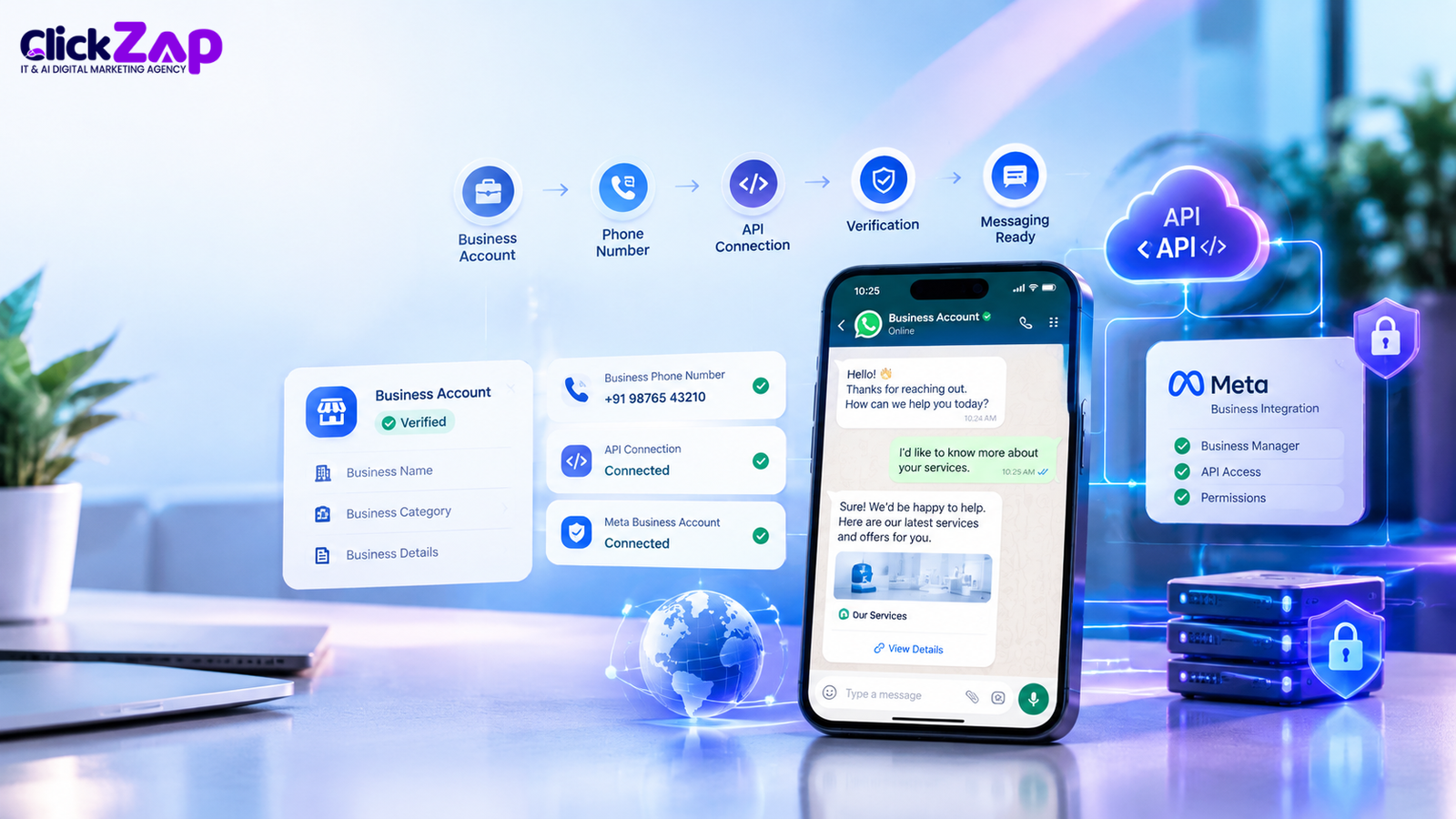
You cannot run serious personalized campaigns on the WhatsApp Business app alone. You need the WhatsApp Business Platform, which gives you API access through Meta or a Business Solution Provider.
Your setup checklist:
- Create and verify your Meta Business account in Meta Business Suite
- Register a dedicated phone number for the WhatsApp Business API
- Complete business verification to unlock higher messaging limits and the verified badge where eligible
- Choose a provider or build direct (see the tools section below)
- Connect your CRM and data sources so message content can pull live fields
- Set up webhooks so replies and delivery events flow back into your systems
Understand message categories early. Meta classifies template messages as marketing, utility, authentication, or service related, and pricing and rules differ by category. Check Meta’s current rate card for India before you forecast budgets, because pricing models change.
Also remember the 24 hour customer service window. When a customer messages you, you can reply freely for 24 hours. Outside that window, you need approved templates. Personalization strategy should use this window deliberately: get the customer to reply, then continue the conversation.
Step 4: Craft Personalized Message Templates
This is where most teams either shine or stall. The goal is a modular template system, not hundreds of one off messages.
Break each message into building blocks:
- Opener: personalized with name, product, or recent action
- Value line: the specific reason you are messaging now
- Offer or information: matched to the segment
- Call to action: a quick reply button, link, or simple question
Here is a before and after.
Generic: “Hi, check out our new arrivals and get 10% off.”
Personalized: “Hi Priya, the running shoes you viewed on Tuesday are back in size 7. Want me to hold a pair for you? Reply YES and I’ll send the payment link.”
The second version uses behavior, shows you remember context, and asks for one small action.
Rules we follow when writing WhatsApp message personalization:
- Keep it short. Aim for under 60 words in most messages.
- One message, one goal. Do not stack three offers.
- Use variables sensibly. Name, product, city, and date work. Ten variables in one message feels creepy and breaks easily when data is missing.
- Build fallbacks. If the first name is missing, use a neutral greeting rather than a blank.
- Use buttons. Quick replies and calls to action buttons reduce friction.
- Write in the customer’s language. More on this in the Hyderabad section.
AI can draft variants, adjust tone, and translate, but a human should approve every template before submission. Meta reviews templates, and a poorly written one is rejected or underperforms.
Step 5: Automate With Behavioral Triggers
Now connect messages to moments. WhatsApp marketing automation turns your segments and templates into a system that runs without constant manual sends.
Core trigger types:
- Sign up trigger: welcome message within minutes of opt-in
- Behavior trigger: cart abandonment, pricing page visit, form started but not completed
- Time trigger: appointment reminders, renewal notices, birthday messages
- Inactivity trigger: no purchase or reply in 30, 60, or 90 days
- Event trigger: order shipped, payment failed, ticket resolved
AI improves automation in three ways:
- Send time prediction: the model learns when each contact tends to respond
- Next best message selection: it picks the offer or content most likely to work for that person
- Frequency control: it suppresses messages for contacts showing fatigue
Add AI chatbots to handle replies. A good bot answers common questions, collects missing details, qualifies leads, and passes to a human when the conversation gets complex or emotional. Set the handoff rule clearly, such as “after two failed intent matches” or “when the customer mentions a complaint.”
Step 6: Test Methodically
Testing separates guesswork from strategy. Run controlled experiments, one variable at a time.
What to test:
- Opening line (personalized vs. generic)
- Template length
- Button labels and call to action wording
- Send time
- Offer type (discount vs. free shipping vs. early access)
- Language (English vs. Telugu vs. Hindi for the same segment)
- Sequence length (two follow ups vs. four)
Use a holdout group that receives no personalized message or the baseline version. Without a holdout, you cannot tell whether your campaign worked or the customer would have bought anyway.
Give tests enough volume to reach reasonable confidence. If your segment has 300 people, you can still learn directional lessons, but do not declare a winner on a 2% difference.
Step 7: Iterate With Feedback Loops
Treat every campaign as data for the next one. Review results weekly for active automations and monthly for strategy.
Your iteration loop:
- Review metrics by segment, template, and trigger
- Read the actual replies. Qualitative feedback often explains what the numbers cannot
- Retire weak templates and promote winners
- Refine segments as new behavior data comes in
- Retrain or adjust AI models where your platform allows it
- Check quality rating and block rates after each major send
This is where AI WhatsApp marketing automation compounds. Each cycle improves targeting and message selection, so your AI WhatsApp campaign personalization in month six performs differently from month one.
Best AI digital marketing agency in Hyderabad
Tools and Platforms You’ll Need
You do not need every tool listed here on day one. Match the stack to your stage.
|
Layer |
What It Does |
Examples of What to Look For |
|
WhatsApp Business Platform / API |
Official access to send templates and automate conversations |
Direct Meta Cloud API or a Business Solution Provider with a solid dashboard |
|
Meta Business Suite |
Account management, verification, templates, insights |
Required for setup and compliance |
|
Meta Ads Manager |
Click to WhatsApp ads that start conversations from Facebook and Instagram |
Useful for lead generation with built in attribution |
|
CRM automation |
Stores contact data, triggers workflows, tracks deals |
Strong API, custom fields, and WhatsApp integrations |
|
Customer data platform (CDP) |
Unifies data across web, app, CRM, and commerce |
Worth it once you have multiple data sources |
|
Marketing automation platform |
Orchestrates multi step journeys across channels |
Visual journey builder, segmentation, reporting |
|
AI chatbots |
Handle replies, qualify leads, route to humans |
Intent recognition, multilingual support, clean handoff |
|
Analytics and BI |
Attribution and performance reporting |
Ability to tie WhatsApp activity to revenue |
When evaluating providers, ask five practical questions:
- Do you support the official WhatsApp Business API?
- Can we import and sync data from our CRM in real time?
- What are the markup fees on top of Meta’s message charges?
- Does the chatbot support Indian languages?
- Can we export our data if we leave?
The fifth question catches vendor lock in before you sign.
Real World Use Cases
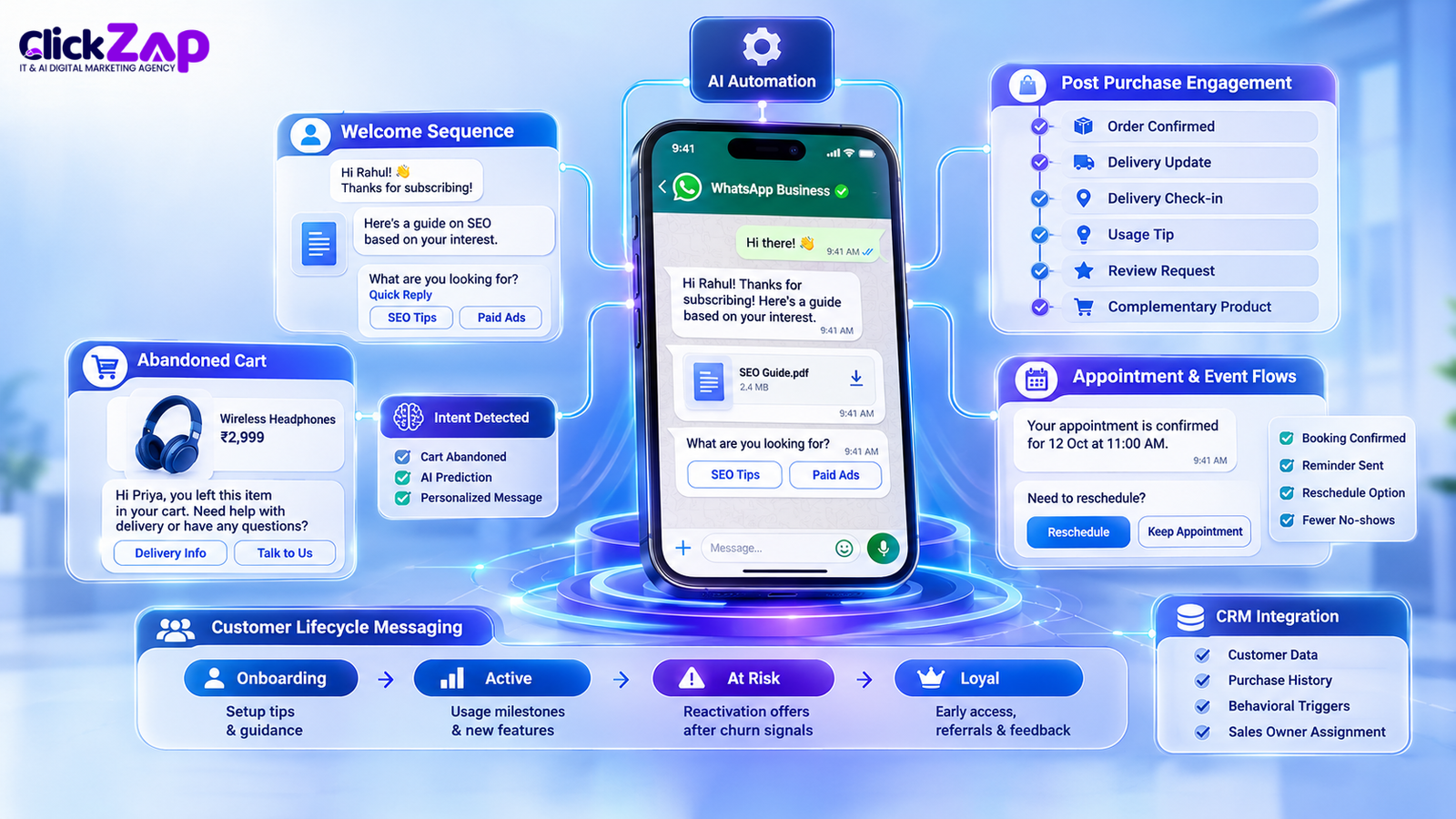
These scenarios show how the steps combine. They are illustrative examples of setups we commonly build, not guaranteed outcomes.
Welcome Sequences
A new subscriber opts in through a landing page. Within two minutes, they receive a personalized welcome referencing the form they filled out. A second message, sent the next day, shares one resource matched to their stated interest. A third asks a single qualifying question with quick reply buttons.
Why it works: the first conversation is the highest attention moment you will get. Use it to learn something, not just to sell.
Behavioral Triggers for Abandoned Carts and Intent Signals
An e-commerce customer adds items to the cart and leaves. After an AI predicted waiting period, WhatsApp sends a message naming the product and offering help rather than a blunt discount. If the customer replies with a concern about delivery, the chatbot answers with their pin code’s delivery estimate.
For B2B, the same logic applies to a prospect who visits your pricing page twice. A trigger sends a short message offering a demo slot, and your CRM assigns a sales owner automatically.
Customer Lifecycle Messaging
Map messages to stages:
- Onboarding: setup tips and first use guidance
- Active: usage milestones, new feature alerts, relevant upsells
- At risk: reactivation offers after predicted churn signals
- Loyal: early access, referral invitations, feedback requests
This is customer journey personalization in practice. Each stage has a different goal, tone, and call to action.
Post Purchase Engagement
After a purchase, send an order confirmation (utility), shipping updates, and a delivery check in. A week later, send a usage tip related to what they bought. After the right interval, ask for a review and suggest a complementary product based on purchase history.
Post purchase messages are your highest trust touchpoints because the customer already expects them. Use them to build the relationship before you ask for the next sale.
Appointment and Event Flows
Clinics, coaching institutes, and service businesses can send booking confirmations, reminders, and reschedule options inside the chat. A personalized reminder with a one tap reschedule button reduces no-shows and saves staff time.
Best Practices and Common Mistakes
Best Practices
- Start with consent and keep it clean. Document opt-ins, honor opt-outs immediately.
- Personalize beyond the first name. Use behavior, context, and timing.
- Keep humans in the loop. AI works best when combined with human insight. Let people review templates, monitor bot conversations, and handle sensitive cases.
- Limit frequency. Two or three well timed messages beat daily nudges.
- Offer easy exits. A visible opt-out option protects your quality rating.
- Use rich formatting carefully. Images, buttons, and lists help when they serve the message.
- Document your segments and rules. Future team members should understand why a contact received a message.
- Align WhatsApp with other channels. Omnichannel customer engagement means the customer does not get the same offer on email, SMS, and WhatsApp within the same hour.
Common Mistakes
Buying contact lists. This is the fastest route to blocks and a damaged quality rating. It also violates WhatsApp’s policies.
Over personalizing. Good AI WhatsApp campaign personalization uses data customers would expect you to have. Mentioning details they never shared with you feels invasive.
Ignoring data quality. A message that says “Hi {name}” or references the wrong product destroys trust. Validate data before sending.
Treating AI as autopilot. AI models make mistakes, hallucinate in chatbot replies, and inherit bias from training data. Review outputs, restrict bots to approved information sources, and audit performance regularly.
Sending the same message to everyone. If your “personalization” has one version, it is a broadcast with a name tag.
Skipping the reply experience. Many teams invest in outbound and then leave replies unanswered. A personalized message that triggers a reply, followed by silence, is worse than no message.
Chasing vanity metrics. Delivery rate and read rate matter, but revenue and qualified conversations matter more.
Forgetting the language. Sending English only messages to a multilingual audience leaves conversions on the table.
Measuring Success
Track metrics at three levels: delivery health, engagement, and business impact.
Delivery and Quality Metrics
- Delivery rate: percentage of messages that reached the device
- Quality rating and messaging limit: your account health indicators in Meta Business Suite
- Block and report rate: the early warning for poor targeting
- Opt-out rate: how many contacts leave after a message
Engagement Metrics
- Read rate: useful for diagnosing timing and opener strength
- Reply rate: the best single indicator of relevance on WhatsApp
- Button click rate: shows whether your call to action works
- Conversation length and depth: are customers engaging or dropping after one message?
Business Metrics
- Conversion rate by segment and template: the heart of WhatsApp conversion optimization
- Cost per lead and cost per acquisition: including message fees and tool costs
- Revenue per message sent: compare personalized and baseline groups
- Customer lifetime value: track repeat purchase behavior over months
- Lead to opportunity time: how fast qualified conversations move to sales
Optimization Tips
- Compare personalized segments against a holdout group, not against last month alone.
- Break results down by segment, language, and send time.
- Review underperforming templates every two weeks.
- Set benchmarks for your own account first. Industry averages vary too widely to be useful targets.
- Tie WhatsApp activity to CRM outcomes so you see revenue, not just clicks.
Build a simple weekly dashboard with five numbers: messages sent, reply rate, block rate, qualified conversations, and revenue attributed. Review it every Monday.
For Hyderabad Based Businesses
Hyderabad has a distinctive business mix: IT services, SaaS, pharma and life sciences, real estate, education, healthcare, and a large base of local retailers and service providers. Personalization on WhatsApp works differently across them, but a few local factors apply broadly.
Language matters. Customers in Hyderabad move between English, Telugu, Hindi, and Urdu depending on context. Ask for language preference during opt-in and store it as a CRM field. A reminder in the customer’s preferred language often performs better than the same offer in a default language. Test it rather than assume.
B2B buyers use WhatsApp for business. Many decision makers in the city’s IT and manufacturing sectors already coordinate vendors on WhatsApp. For B2B, personalized follow ups after a call or demo, sent on the buyer’s own preferred channel, tend to get faster responses than email chains.
Local intent is strong. Segment by area where it helps. Offers, event invitations, and service availability can differ between HITEC City, Gachibowli, Secunderabad, and the old city. Even simple location tags make messages feel less generic.
Timing reflects local routines. Commute patterns, festival periods like Bonalu, Ugadi, and Diwali, and school and exam calendars affect when people read messages. Use your own data to find response windows rather than copying generic best time lists.
Trust is built locally. Small and mid sized businesses benefit from a recognizable business name, a verified profile, and a human who answers when the bot cannot. Customers in the city value being able to reach a real person.
If you run a Hyderabad business and want to move beyond broadcasts, start with one segment, one trigger, and one language. Prove it works, then expand.
ClickZap IT’s Perspective
We build WhatsApp personalization systems for clients, and the pattern is consistent. The campaigns that perform have clean data, clear segments, short messages, and a reply path that works. The ones that struggle usually skip one of those four.
Our view is direct: technology is the easy part. Strategy, data hygiene, and disciplined testing decide whether personalization makes money. AI speeds up segmentation, drafting, and optimization, but it does not replace judgment about what your customers actually want.
That is why we combine AI driven automation with human review at every stage, from template approval to chatbot monitoring to monthly performance audits. If you are planning to launch or fix a WhatsApp program, we can help you audit your current setup, design segments and triggers, and build the stack around your CRM.
Talk to ClickZap IT about your WhatsApp marketing
FAQs
1. What is AI WhatsApp campaign personalization?
AI WhatsApp campaign personalization is the use of AI and customer data to tailor the content, timing, and audience of WhatsApp messages to each person. Instead of sending one broadcast to everyone, the system picks the right segment, template, language, and sends time based on behavior such as purchases, browsing activity, and past replies. The goal is messages that feel relevant, which raises reply rates and protects your account’s quality rating.
2. How do you personalize WhatsApp marketing messages?
Start by segmenting contacts using behavior, lifecycle stage, and language preference. Then build modular templates with variables like name, product, and city, plus fallbacks for missing data. Add quick reply buttons so customers can respond in one tap. Finally, trigger messages from real actions, such as an abandoned cart or a pricing page visit. Test one variable at a time against a holdout group so you know what actually works.
3. Can you use AI for WhatsApp marketing automation?
Yes. AI supports WhatsApp marketing automation by predicting the best send time, choosing the next best message for each contact, scoring leads, and powering chatbots that answer common questions. You need the WhatsApp Business Platform (API) to do this at scale, since the free WhatsApp Business app lacks automation depth. Keep a human in the loop for template approval, sensitive conversations, and regular chatbot audits.
4. Do you need the WhatsApp Business API for personalized campaigns?
For serious personalization, yes. The WhatsApp Business API, accessed through the WhatsApp Business Platform, lets you connect your CRM, send approved templates at scale, trigger messages from customer behavior, and run AI chatbots. The standard WhatsApp Business app works for small, manual conversations but cannot support data driven segmentation or automated triggers. You can access the API directly through Meta or through a Business Solution Provider.
5. How do you measure the success of a personalized WhatsApp campaign?
Track three layers. For account health, watch delivery rate, block rate, and your quality rating in Meta Business Suite. For engagement, focus on reply rate and button click rate, since replies are the clearest relevance signal on WhatsApp. For business impact, measure conversion rate by segment, cost per lead, revenue per message sent, and customer lifetime value. Always compare results against a holdout group, not just last month’s numbers.
Conclusion
AI WhatsApp campaign personalization comes down to relevance, timing, and respect for the customer’s inbox. Segment your audience with real behavioral data, set up the WhatsApp Business Platform properly, write modular templates, automate triggers that match customer moments, and test every assumption.
Do not wait for a perfect stack. Pick one goal, build one segment, launch one triggered message, and measure the reply rate against a holdout group. Then expand what works.
Keep humans involved, protect consent and quality ratings, and judge success by revenue and qualified conversations, not by messages sent. Done well, WhatsApp becomes your most responsive marketing channel and a direct line to customers who want to hear from you.
Also Read: How AI WhatsApp Lead Follow Up Automation Converts More Leads
0 Comments