
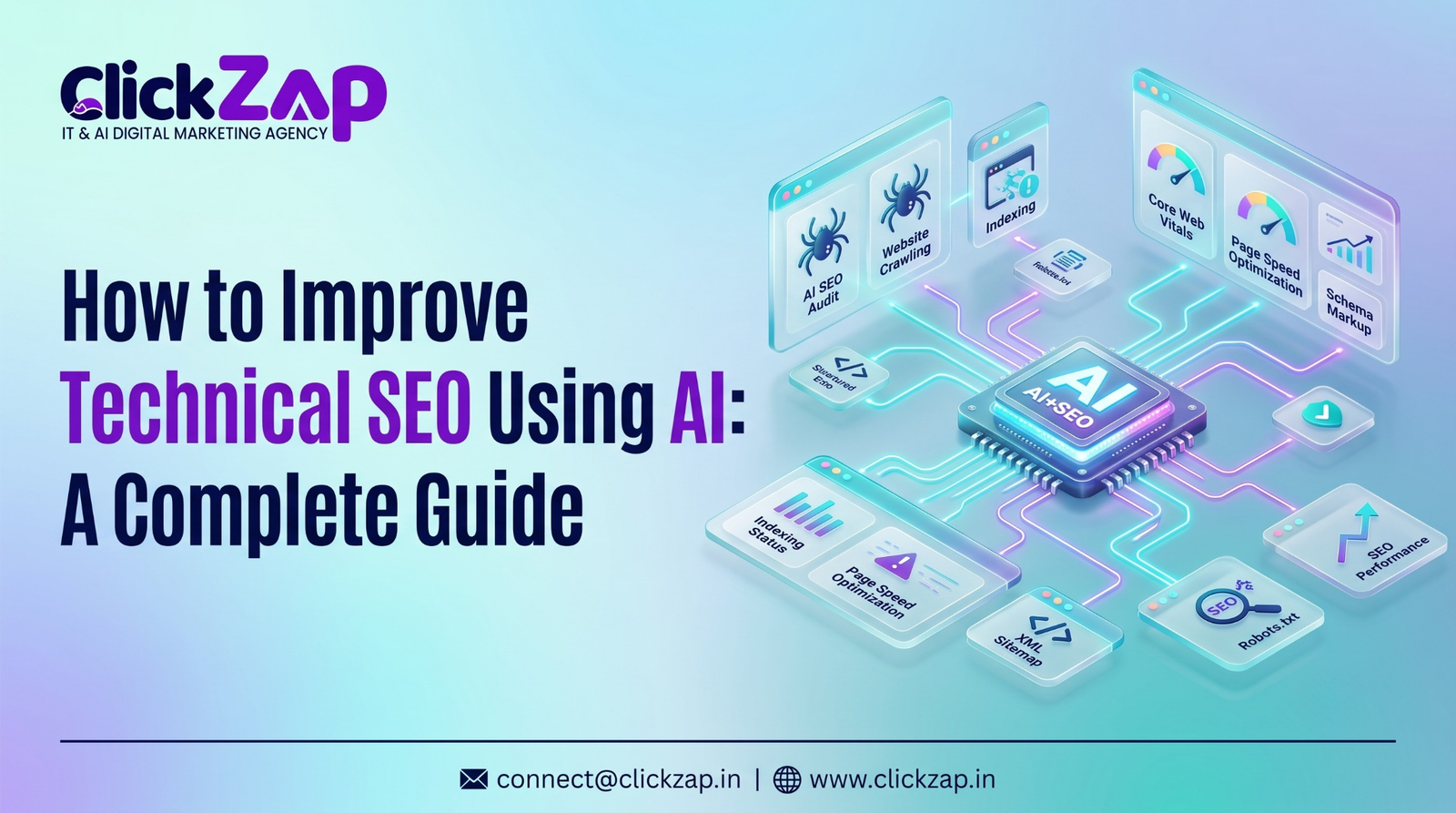
How to Improve Technical SEO Using AI
Technical SEO has become more complex than ever. Modern websites often have hundreds, sometimes thousands, of pages, and each one can carry its own set of crawlability, indexing, or performance issues. A single ecommerce site, for example, might have thousands of product URLs, filtered pages, and duplicate variations that all need to be crawled, indexed, and optimized correctly.
Manually auditing a website of this size takes time. A technical SEO professional working alone might need days or weeks to review crawl data, check indexing status, analyze Core Web Vitals, and map out internal linking issues. By the time the audit is finished, the website may have already changed.
This is where artificial intelligence is changing the way technical SEO work gets done. AI can process large volumes of website data quickly, spot patterns that are easy to miss manually, and flag issues for review in a fraction of the time a manual audit would take. It doesn’t replace the judgment of an experienced SEO professional, but it does make the process faster and more scalable.
This guide explains how to improve technical SEO using AI, covering everything from AI powered audits and crawlability analysis to Core Web Vitals, structured data, and internal linking. You’ll also find a step by step framework, tool comparisons, a prioritization system, and answers to common questions about AI in technical SEO.
What Is Technical SEO?

Technical SEO is the practice of optimizing a website’s infrastructure so that search engines can crawl, index, and rank its pages effectively. It focuses on the backend and structural elements of a site rather than content or backlinks.
Technical SEO covers several core areas:
- Website crawlability – whether search engine bots can access and navigate a site’s pages
- Search engine indexing – whether pages are eligible to appear in search results
- Website architecture – how pages are organized and linked to one another
- Page speed – how quickly pages load for users and bots
- Mobile usability – whether a site functions well on mobile devices
- XML sitemaps – files that help search engines discover important URLs
- Robots.txt – a file that controls which pages search engines can crawl
- Canonical tags – HTML tags that tell search engines which version of a page is the primary one
- Structured data – code that helps search engines understand page content
- Core Web Vitals – Google’s metrics for loading speed, interactivity, and visual stability
When these elements are working correctly, search engines can crawl and index a site efficiently, which supports better visibility in search results.
What Is AI for Technical SEO?
AI for technical SEO refers to the use of machine learning and automated data analysis to detect, interpret, and help resolve technical issues on a website. Instead of manually reviewing crawl reports line by line, AI tools can process large datasets and highlight patterns that indicate problems.
AI applies several capabilities to technical SEO work:
- Machine learning models that improve issue detection over time as they process more data
- Pattern recognition that identifies recurring problems across large numbers of pages
- Automated data analysis that processes crawl logs, server data, and performance reports
- Predictive analysis that estimates which issues are likely to affect rankings or traffic
- Automation of repetitive audit tasks, such as scanning for broken links or missing metadata
It’s important to be clear about what AI does and doesn’t do here. AI does not replace the strategic judgment of an SEO professional. It speeds up data analysis and issue detection, but decisions about priorities, business context, and implementation still require human expertise.
How Does AI Improve Technical SEO?
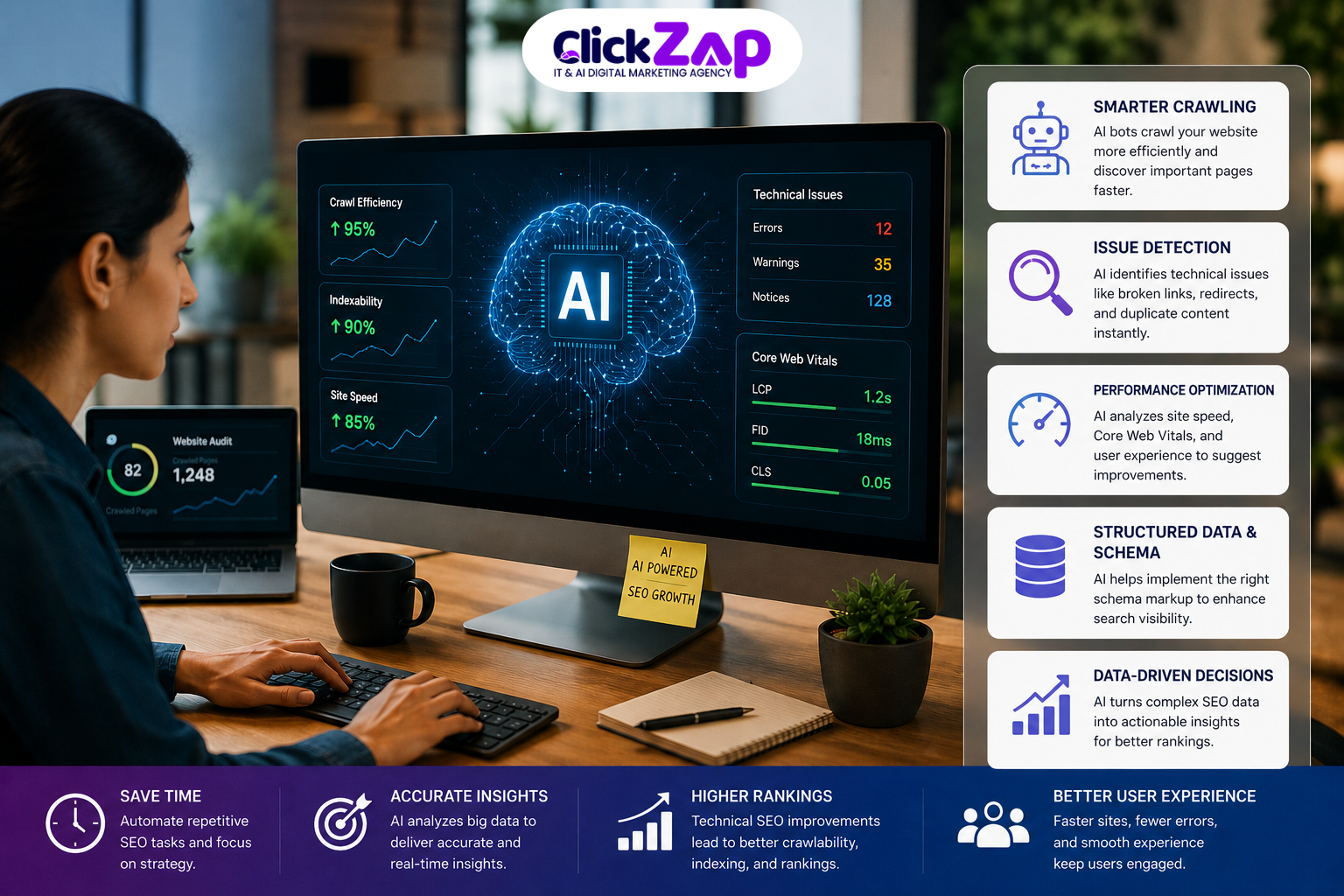
AI improves technical SEO by automating data analysis, detecting issues faster, and helping teams prioritize fixes based on potential impact. This allows SEO professionals to focus their time on strategy and implementation rather than manual data review.
The main benefits include:
- Faster technical SEO audits – AI can scan thousands of URLs and return results in a fraction of the time manual review would take
- Automated issue detection – patterns like broken links, duplicate content, or missing tags are flagged automatically
- Large-scale website analysis – AI can handle enterprise websites with large URL counts more efficiently than manual methods
- Pattern identification – recurring issues across templates or page types are easier to spot
- Prioritization of SEO issues – AI can help rank issues by potential impact on traffic or indexing
- Continuous monitoring – some AI powered tools track technical health over time instead of only at audit intervals
- Data driven recommendations – suggestions are based on actual crawl and performance data rather than guesswork
Here’s how traditional technical SEO compares to an AI assisted approach:
| Traditional Technical SEO | AI Powered Technical SEO |
|
Manual analysis |
Automated analysis |
|
Time consuming audits |
Faster audits |
|
Limited data processing |
Large scale data analysis |
|
Manual issue prioritization |
AI assisted prioritization |
|
Periodic monitoring |
Continuous monitoring |
AI doesn’t eliminate the need for a technical SEO strategy. It changes how quickly that strategy can be informed by data.
How to Improve Technical SEO Using AI: Step by Step Process
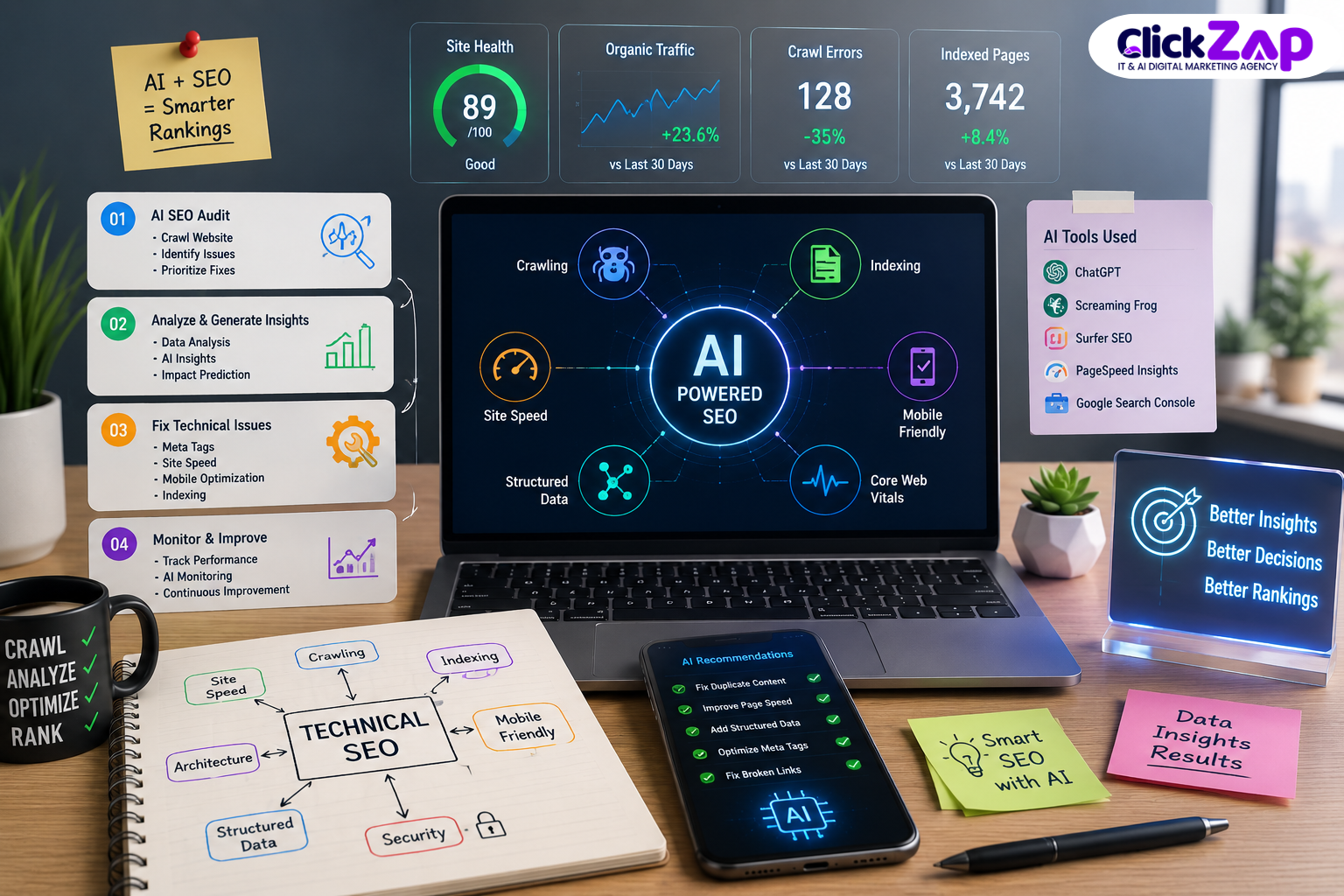
This section breaks down how to improve technical SEO using AI in a practical, step by step way. Each step covers a specific area of technical SEO and explains where AI adds value.
Step 1: Use AI for a Technical SEO Audit
An AI technical SEO audit analyzes crawl data, server responses, and page level signals to identify issues that could affect search visibility. Instead of manually reviewing spreadsheets of crawl results, AI tools can process this data and surface the most relevant issues.
Using AI for SEO audits typically covers:
- Crawl errors
- Broken internal and external links
- Redirect chains and loops
- Duplicate content across pages
- Missing or incomplete metadata
- Indexing problems
- Canonical tag inconsistencies
An automated technical SEO audit doesn’t replace a full manual review, but it does reduce the time needed to identify where problems exist, so human reviewers can focus on validation and fixes rather than initial discovery.
Step 2: Improve Website Crawlability Using AI
Website crawlability determines whether search engine bots can access and navigate a site’s pages. AI can help identify crawlability issues by analyzing crawl logs and site structure data.
AI-assisted crawlability analysis can identify:
- Crawl errors preventing bots from accessing pages
- Orphan pages with no internal links pointing to them
- Broken internal links that waste crawl budget
- Crawl budget waste on low value or duplicate URLs
- Incorrect robots.txt rules blocking important pages
- Poor website architecture that buries important pages too deep
Tools like Google Search Console and Screaming Frog are commonly used alongside AI analysis. Google Search Console shows how Google is actually crawling and indexing a site, while Screaming Frog crawls the site directly to map out its structure. AI can help interpret the resulting data faster and flag patterns that need attention.
Step 3: Use AI for Search Engine Indexing Analysis
Indexing issues occur when pages that should appear in search results aren’t being indexed, or when pages that shouldn’t be indexed are showing up anyway. AI can help analyze this by comparing crawled URLs against indexed URLs.
This type of analysis typically looks at:
- Indexed vs. non indexed pages
- Pages incorrectly tagged with “no index”
- Canonicalization problems, where the wrong page version is indexed
- Duplicate pages competing for the same keywords
- Thin content that may be excluded from the index
- Index coverage reports from Google Search Console
For example, an ecommerce site might have thousands of filtered category URLs that are technically unique but offer little unique content. AI can flag these as a pattern rather than requiring a reviewer to spot each one individually.
Step 4: Automate Broken Link Detection
Broken links create a poor user experience and can waste crawl budgets, since search engines spend resources trying to access pages that no longer work.
AI-assisted broken link detection typically follows this workflow:
- Crawl the entire website to identify all internal and external links
- Scan for 404 errors and other broken link statuses
- Prioritize broken links found on high traffic or high value pages
- Identify recurring link issues, such as a broken link appearing across many templates
- Generate a report for the team to review and fix
Prioritizing broken links by page value matters because fixing a broken link on a low traffic page has far less impact than fixing one on a page that drives significant organic traffic.
Step 5: Optimize XML Sitemaps with AI
An XML sitemap helps search engines discover the pages a site owner considers important. AI can assist with sitemap analysis by comparing sitemap contents against actual crawl and indexing data.
AI can help with:
- Identifying outdated URLs still listed in the sitemap
- Detecting non indexable pages mistakenly included in the sitemap
- Finding incorrect or malformed URLs
- Sitemap prioritization for large sites with many sections
- Monitoring sitemap errors reported in Google Search Console
Google Search Console’s Sitemaps report shows how many submitted URLs were successfully indexed, which is a useful data point to combine with AI based analysis.
Step 6: Improve Robots.txt Optimization
The robots.txt file tells search engine crawlers which parts of a site they can and cannot access. Getting this file wrong can accidentally block important pages from being crawled.
Common robots.txt mistakes include:
- Blocking entire sections of a site by accident
- Disallowing pages that should be indexed
- Failing to account for crawl budget on large sites
- Conflicting rules for different user agents
AI can review robots.txt rules against a site’s URL structure and flag potential conflicts or unintended blocks.
Caution: AI recommendations for robots.txt should always be manually reviewed before making changes. Incorrect rules can accidentally block search engines from crawling important pages, which can significantly affect visibility.
Step 7: Use AI for Canonical Tag Analysis
Canonical tags tell search engines which version of a page should be treated as the primary one when duplicate or similar content exists. AI can help analyze canonical tag implementation across a site.
This analysis typically covers:
- Duplicate content that lacks a canonical tag
- Incorrect canonical tags pointing to the wrong URL
- Self referencing canonicals that are missing or malformed
- Conflicting canonical signals, such as a sitemap listing one URL while the canonical tag points to another
For example, a product page available under multiple URL parameters should typically canonicalize to a single clean URL. AI can help identify cases where this isn’t happening consistently across a site.
Step 8: Improve Core Web Vitals and Page Speed
Core Web Vitals are Google’s metrics for measuring user experience related to loading performance, interactivity, and visual stability:
- Largest Contentfull Paint (LCP) – how quickly the main content loads
- Interaction to Next Paint (INP) – how responsive a page is to user interaction
- Cumulative Layout Shift (CLS) – how much a page’s layout shifts during loading
AI can help analyze performance reports and identify which issues are contributing most to poor scores, such as:
- Unoptimized images
- Render blocking JavaScript and CSS
- Slow server response times
- Layout shifts caused by ads or dynamically loaded content
Tools like Google Page Speed Insights and Google Lighthouse generate detailed performance reports. AI can help interpret these reports faster and prioritize which fixes will likely have the biggest impact on Core Web Vitals scores.
Step 9: Use AI for Structured Data and Schema Markup
Structured data markup, often implemented using schema.org vocabulary, helps search engines understand what a page is about. This can support eligibility for rich results in search listings.
AI can assist with:
- Detecting missing schema markup on relevant page types
- Identifying incorrect or outdated structured data
- Generating schema markup suggestions based on page content
Schema markup validation is essential here any AI generated structured data should always be validated using Google’s Rich Results Test or Schema. org’s validator before publishing, since incorrect markup can cause more harm than having no markup at all.
Step 10: Improve JavaScript SEO Using AI
JavaScript heavy websites can create rendering challenges for search engines. If content loads client side and isn’t rendered properly, search engines may not see it at all.
AI can help analyze JavaScript SEO issues such as:
- Content that’s hidden until JavaScript executes
- Delayed rendering that affects how quickly bots can access content
- Client side routing that creates crawlability gaps
- Differences between what a browser renders and what a search engine actually sees
For JavaScript heavy sites, comparing the rendered HTML against the raw server response is a useful diagnostic step, and AI tools can help flag discrepancies between the two more quickly than manual comparison.
Step 11: Use AI for Internal Linking Analysis
Internal linking analysis examines how pages on a site link to one another, since internal links help distribute authority and help search engines understand page relationships.
AI can identify:
- Orphan pages with no internal links pointing to them
- Weak internal linking to important pages
- Relevant linking opportunities based on topical relevance
- Over optimized anchor text that may look manipulative
- Important pages that aren’t receiving enough internal links relative to their business value
For example: a cornerstone blog post that ranks well might only have three internal links pointing to it, while a lower priority page has fifteen. AI assisted analysis can surface this imbalance so a team can redistribute internal links more strategically.
Step 12: Detect Duplicate Content Using AI
Duplicate content can confuse search engines about which version of a page to index and rank, potentially splitting ranking signals across multiple URLs.
AI can compare pages across a site to identify:
- Fully duplicate pages
- Near duplicate content with minor variations
- Duplicate product pages, common on ecommerce sites with similar SKUs
- Parameter URLs that create multiple versions of the same page
- Duplicate or highly similar metadata across pages
Common solutions include consolidating duplicate pages, applying canonical tags, using 301 redirects, or rewriting thin content to make it unique.
What Technical SEO Tasks Can AI Automate?
| Technical SEO Task |
How AI Helps |
|
Website crawling |
Identifies crawl issues across large numbers of pages |
|
Broken links |
Automatically detects broken internal and external URLs |
|
Duplicate content |
Finds similar or duplicate pages across the site |
|
Page speed |
Identifies performance bottlenecks affecting load times |
|
Internal links |
Finds linking opportunities and weak link distribution |
|
Schema markup |
Generates and validates structured data suggestions |
|
XML sitemap |
Detects sitemap errors and outdated URLs |
|
Indexing |
Identifies indexing issues and coverage gaps |
|
Redirects |
Detects redirect chains and loops |
|
SEO monitoring |
Tracks recurring technical issues over time |
While AI can automate detection and analysis for these tasks, decisions about which fixes to implement, how to prioritize them, and how they align with business goals should still involve human review. AI is best used to surface issues quickly; humans remain responsible for judgment calls that affect the site’s overall strategy.
Best AI Technical SEO Tools
The most effective approach to technical SEO usually combines established SEO platforms with AI powered analysis rather than relying on AI alone. Here’s how some commonly used tools fit into this process.
Google Search Console is a free tool from Google that helps website owners monitor indexing status, crawl errors, search performance, and sitemap issues. It’s a foundational data source for any technical SEO audit, AI assisted or otherwise.
Screaming Frog is a website crawler that helps identify broken links, redirects, metadata issues, and canonical tag problems by crawling a site directly, similar to how a search engine bot would.
Semrush offers a Site Audit tool that scans websites for technical SEO issues and provides a health score along with prioritized recommendations.
Ahrefs includes a Site Audit feature that analyzes technical SEO health, crawlability, and on page issues across a website.
ChatGPT by OpenAI can assist technical SEO work by interpreting SEO reports, analyzing crawl data exported from other tools, creating troubleshooting checklists, and explaining technical SEO issues in plain language for teams or clients.
Google Gemini can play a similar analytical role, helping teams process SEO data and think through technical SEO workflows, particularly within Google’s broader ecosystem of tools.
Google Page Speed Insights analyzes page performance and provides Core Web Vitals data along with specific recommendations for improvement.
Google Lighthouse audits website performance, accessibility, and technical quality, and is available directly in Chrome Dev Tools as well as Page Speed Insights.
No tool on this list can guarantee search rankings. Each one provides data and analysis that supports better decision making, but the actual implementation and strategy still depend on the team using them.
AI Technical SEO Audit Workflow
A practical AI assisted technical SEO audit generally follows this sequence:
- Crawl the website to gather data on all accessible URLs
- Collect technical SEO data, including status codes, metadata, and structured data
- Analyze crawl errors to identify pages returning 4xx or 5xx responses
- Identify indexing problems by comparing crawled and indexed URLs
- Review Core Web Vitals using performance data from Lighthouse or Page Speed Insights
- Analyze internal linking to spot orphan pages and link distribution issues
- Check duplicate content across similar page templates
- Review structured data for missing or incorrect schema markup
- Prioritize issues based on impact, focusing on pages with the most traffic or business value
- Implement fixes based on the prioritized list
- Validate changes to confirm fixes were applied correctly
- Monitor performance on an ongoing basis to catch new issues early
This workflow treats AI as a tool for steps 1 through 8, while steps 9 through 12 involve more direct human decision-making and oversight.
How to Prioritize Technical SEO Issues Using AI
Not every technical SEO issue has the same impact on a website’s performance. A broken link on a rarely visited page matters far less than a no index tag mistakenly applied to a high traffic landing page. AI can help sort issues into priority tiers based on data rather than guesswork.
High Priority
- Pages blocked from indexing
- Important pages with no index tags
- Major crawl errors on high value pages
- Broken canonical tags
- Severe Core Web Vitals problems
Medium Priority
- Broken internal links
- Redirect chains
- Missing structured data
- Duplicate metadata across pages
Low Priority
- Minor metadata inconsistencies
- Low value orphan pages
- Small performance improvements with limited impact
AI can help prioritize issues by analyzing:
- Traffic potential of the affected pages
- Page importance within the site’s business goals
- Number of affected URLs across the site
- Search visibility impact based on current rankings
- User experience impact, particularly for performance related issues
This kind of data informed prioritization helps teams focus limited time and resources on the fixes most likely to move the needle.
Benefits of AI Powered Technical SEO
- Faster audits across large websites
- Reduced manual work on repetitive data analysis tasks
- Better scalability for enterprise sites with thousands of URLs
- Continuous monitoring instead of periodic check ins
- Faster issue detection, often before problems significantly affect traffic
- Improved data analysis across crawl, performance, and indexing data
- Better prioritization based on actual impact rather than assumptions
- Increased efficiency for SEO teams managing multiple sites or clients
Limitations of AI in Technical SEO
AI is a powerful tool for technical SEO, but it has real limitations that matter for teams relying on it.
AI can misinterpret data, especially in edge cases or unusual site structures that don’t match common patterns. It can also provide recommendations that sound reasonable but don’t account for a site’s specific business context, such as why certain pages exist even if they look technically unnecessary.
AI also lacks the ability to understand a company’s broader strategic priorities. It can flag an issue as technically significant without understanding whether fixing it aligns with current business goals, budget constraints, or upcoming site changes.
This is why AI should be used as an assistant for technical SEO, not as a complete replacement for human expertise. The most reliable results come from combining AI driven data analysis with the judgment of an experienced SEO professional who understands the business behind the website.
Best Practices for Technical SEO Automation with AI
- Verify AI recommendations before implementing them, especially for high risk changes like robots.txt or canonical tags
- Maintain regular website crawls to keep AI analysis current
- Monitor Google Search Console as a primary source of indexing and crawl data
- Test changes before deployment, particularly on staging environments
- Prioritize high impact issues rather than trying to fix everything at once
- Combine multiple data sources, including crawl tools, analytics, and search console data
- Track Core Web Vitals on an ongoing basis, not just during audits
- Validate structured data using official testing tools before publishing
- Monitor indexing changes after making significant site updates
- Keep human experts involved in reviewing and approving technical changes
The Future of AI in Technical SEO
AI’s role in technical SEO is likely to keep expanding in several practical directions. Predictive SEO analysis may become more common, helping teams anticipate issues before they fully develop rather than only detecting them after the fact.
Automated website monitoring is also likely to become more sophisticated, with AI systems flagging real time issue detection as changes happen rather than waiting for the next scheduled crawl. This could support faster responses to problems like sudden indexing drops or performance regressions.
Intelligent crawl prioritization, where AI helps determine which pages deserve the most attention during an audit based on business value, is another area likely to mature. Similarly, automated schema suggestions and predictive Core Web Vitals optimization may become more refined as AI tools get better access to structured performance data.
These are reasonable extensions of current capabilities rather than dramatic shifts, and human oversight will likely remain a core part of how technical SEO decisions get made, even as automation handles more of the initial data analysis.
Frequently Asked Questions
How can AI improve technical SEO?
AI improves technical SEO by automating the analysis of large amounts of website data, such as crawl reports, indexing status, and performance metrics. It helps identify issues like broken links, duplicate content, and Core Web Vitals problems faster than manual review, and can assist with prioritizing which issues to fix first based on potential impact.
Can AI perform a technical SEO audit?
Yes, AI can perform significant parts of a technical SEO audit by analyzing crawl data, identifying indexing issues, and flagging performance problems. However, a complete audit still benefits from human review to interpret findings within business context and make final decisions about what to fix and when.
What are the best AI technical SEO tools?
Commonly used tools include Google Search Console, Screaming Frog, Semrush, and Ahrefs for technical auditing, along with Google Page Speed Insights and Google Lighthouse for performance analysis. AI models like ChatGPT and Google Gemini can support interpretation of SEO data and reporting.
How do I automate technical SEO?
Technical SEO automation typically involves using AI powered crawling and analysis tools to regularly scan a website for crawl errors, indexing issues, broken links, and performance problems. Automated monitoring can then alert teams to new issues, while implementation and validation of fixes still require human oversight.
Will AI replace technical SEO professionals?
No, AI is unlikely to fully replace technical SEO professionals. While AI can automate data analysis and issue detection, technical SEO still requires human judgment to interpret findings within business context, prioritize fixes strategically, and make decisions that align with broader marketing goals.
Final Thoughts
Technical SEO isn’t getting simpler, and neither are the websites businesses need to maintain. Learning how to improve technical SEO using AI gives businesses, marketers, and SEO professionals a practical way to keep up: faster audits, quicker issue detection, and data driven prioritization that would take much longer to achieve manually.
AI can help save time, analyze larger websites, detect technical issues at scale, prioritize what to fix first, and monitor performance on an ongoing basis. But it works best as part of a broader strategy, not as a standalone solution.
The most effective approach to technical SEO combines AI powered automation, professional SEO expertise, and continuous monitoring. AI handles the heavy lifting of data analysis; experienced professionals bring the strategic judgment needed to turn that data into real improvements.
Need help improving your website’s technical SEO? ClickZap IT combines data driven SEO strategies with AI powered analysis to identify technical issues, improve website performance, and build a stronger search presence. Our team works across SEO, technical SEO, AI powered marketing, website optimization, and content marketing to help businesses strengthen their digital presence with strategies grounded in real data, not guesswork.
Also Read: How to Use AI for Facebook and Instagram Ad Targeting: A Complete Guide



0 Comments